What it looks like in your report
Every monitor gets a report and status page like these. Real screenshots from public Upzilla reports.
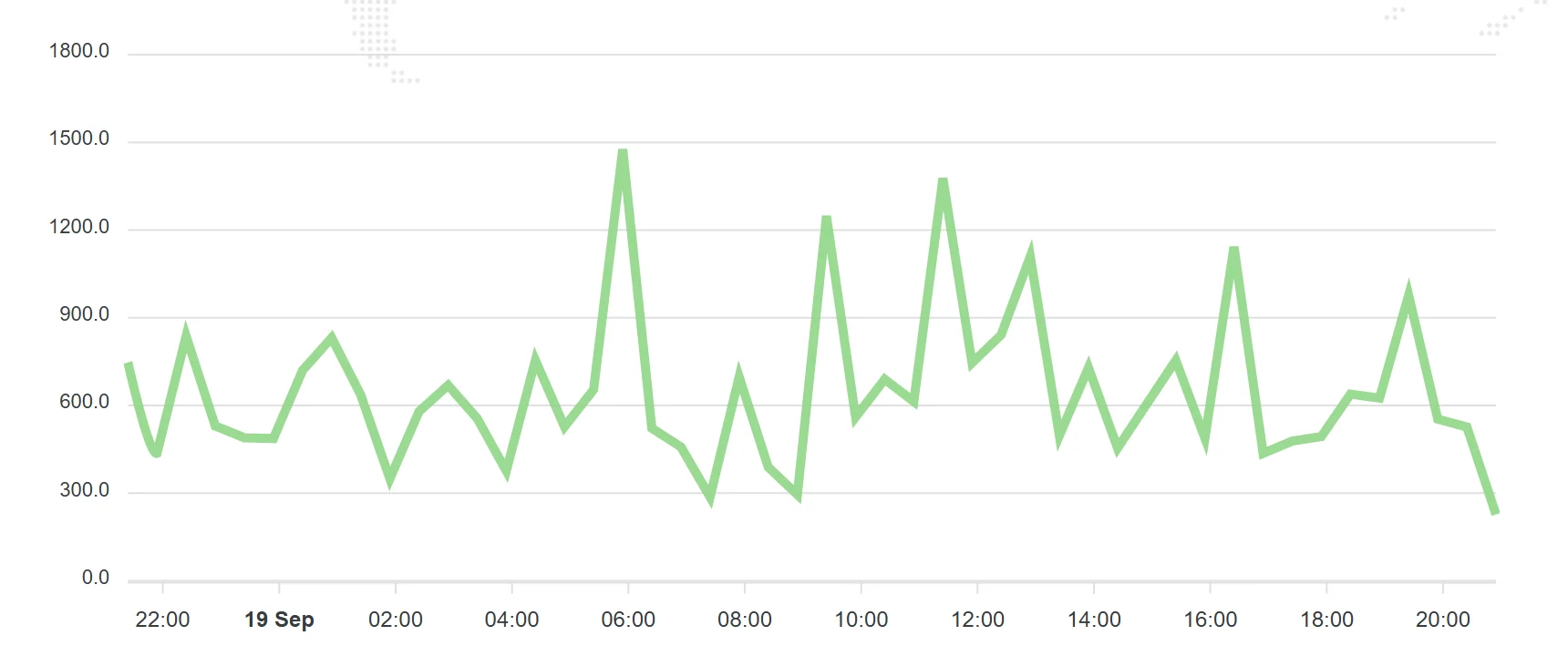



See how your whole site performs over time: response times per location, error patterns and trends, all in one dashboard with a status page you can share.
A site can be technically up while feeling broken: slow logins, long waits at checkout, timeouts from far-away regions. Uptime alone hides all of it.
Performance monitoring records response time on every check and keeps it, so you can compare last week with this week, one region with another, and see whether a change made things better or worse.
Every check is stored in a full log, so you can see exactly when and how something changed.
Two numbers per check, so you can tell server delay from full page delivery.
Compare regions side by side.
Turn many measurements into a simple satisfaction figure.
Share performance history with clients or the public.
Every monitor gets a report and status page like these. Real screenshots from public Upzilla reports.
From sign-up to your first alert in a few minutes.
Start with the homepage and your most important pages.
Upzilla checks from the locations you choose, on your interval.
Use statistics and reports to see what is changing.
Sensible defaults get you started; every option below can be tuned per monitor.
| Setting | What it does |
|---|---|
| URL | The site or page to measure. |
| Port | Optional port. |
| Username & password | For sites behind basic authentication. |
| HTTP headers / POST string | Customise the request. |
| Response status codes | Which responses count as healthy. |
| Frequency | How often the check runs: 1 to 120 minutes. The Free plan checks from every 15 minutes; Premium from every minute. |
| Locations | Run the check from one or several of 9 locations: Spain, France, United Kingdom, USA (New York, Los Angeles), Australia, Singapore, Japan and Germany. |
| Notifications | Pick any of your pre-configured alert channels: e-mail, SMS, Telegram, Slack, Messenger, voice call, webhooks and more. |
| Status page | Make the statistics of this monitor public or private. |
| Tags | Group monitors with tags to keep large accounts tidy. |
| IP version | Force IPv4, IPv6, or let Upzilla use whichever is available. |
Compare performance before and after moving servers or CDNs.
Give agencies and clients an objective performance history.
Notice slow growth in response time as traffic rises.
Look back at exactly when and where a slowdown began.
Create as many notification methods as you like, even on the free plan.
Page speed focuses on individual page load time. Website performance tracks response behaviour of the site over time, including availability patterns.
Yes, Apdex is one of the summaries shown in statistics. See our Apdex explainer for how it is calculated.
Yes. Make a monitor’s statistics public and share the status page.
Yes, 10 monitors of any type with no time limit.
No card required. 10 monitors of any type, free.